How to Write a Book with Artificial Intelligence and Publish It on Amazon KDP (Step-by-Step Guide)

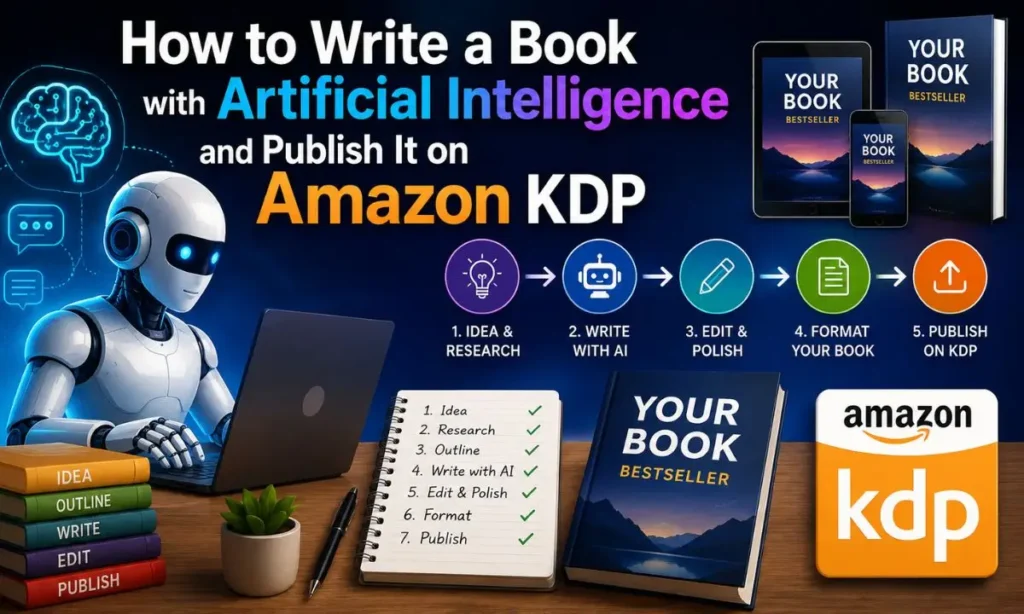
Self-publishing has changed. Writers who once spent a year drafting a manuscript can now go from idea to a polished, professionally formatted book in a matter of weeks by using AI as a research and drafting partner — as long as they still bring judgment, editing, and a real point of view to the process. This guide walks through the entire workflow, from choosing a topic to hitting "Publish" on Kindle Direct Publishing (KDP), using a concrete example throughout: a nonfiction title called "How to Be Successful."
Every step includes the actual prompts you can copy, paste, and adapt.
Before You Start: Understand Amazon's 2026 AI Disclosure Rules
This matters enough to cover before anything else, because it affects how you work from page one.
Since 2023, and enforced more strictly through 2025–2026, KDP requires you to disclose during the publishing flow whether your book contains AI-generated content (text, images, or translations that an AI tool created, even if you edited it afterward) versus AI-assisted content (work you wrote yourself, where AI only helped you brainstorm, edit, or refine it). The distinction is about origin, not effort:
- If AI wrote the first draft of a chapter, that chapter is AI-generated, even after heavy editing.
- If you wrote the chapter and used AI only to check grammar, suggest phrasing, or give feedback, that's AI-assisted and doesn't require disclosure.
The disclosure itself is not shown to readers, doesn't block publication, and — according to Amazon — doesn't affect royalties or ranking. What it does affect is your standing on the platform: misrepresenting AI use is a content-guideline violation that can get a book removed, and repeated violations can escalate to account-level action.
Practical takeaway: decide up front how you'll use AI in this project, keep track of it chapter by chapter, and answer the disclosure question honestly when you publish. Nothing in this guide requires you to hide anything — quality is what determines whether a book sells, not how it was produced.
Step 1: Validate the Topic Before You Write a Word
Don't start writing "How to Be Successful" just because it sounds good. Validate demand first.
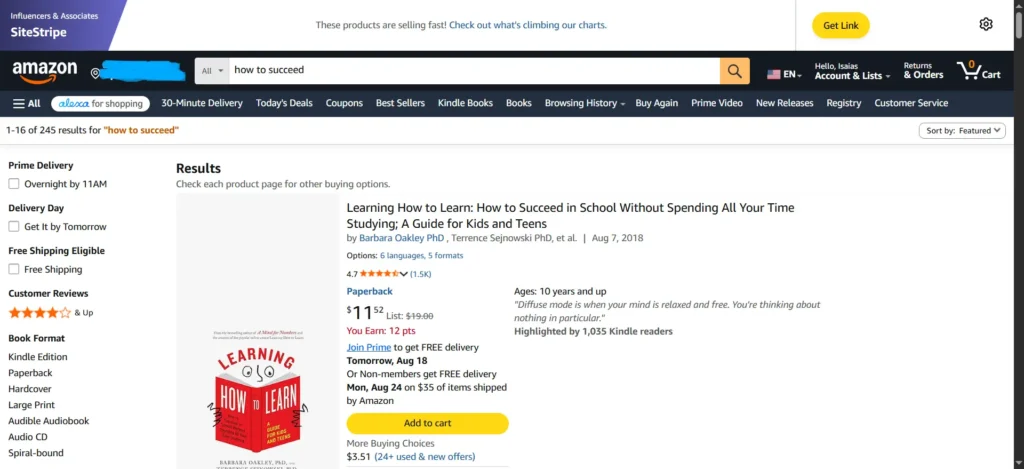
- Search "how to be successful" and similar phrases on Amazon's own search bar and note the autocomplete suggestions — these are real searches.
- Check the Kindle Store bestseller list under Business & Money > Personal Success and Self-Help > Motivational. Note prices, page counts, and how recent the top books are.
- Look at the 1-star and 3-star reviews of the top 5 competing books. This tells you exactly what readers wish existed — a gap you can fill.
Prompt to use (paste competitor review text or bestseller descriptions into AI):
"I'm researching the competitive landscape for a nonfiction book titled 'How to Be Successful' in the personal development category on Amazon KDP. Based on the following reviews and book descriptions [paste data], identify: (1) recurring complaints readers have about existing books in this space, (2) angles or promises that seem overused, (3) three specific, underserved angles I could take that would differentiate my book. Be specific and reference the source material."
Step 2: Define Your Angle, Audience, and Promise
A book called "How to Be Successful" is too broad to actually write — you need a specific angle. Successful for whom, and how?
Prompt:
"Act as a nonfiction book strategist. I want to write a book called 'How to Be Successful.' Generate 8 distinct, specific angles I could take (e.g., success for people starting over after 40, success through daily systems rather than motivation, success for introverts, success measured by freedom rather than money). For each angle, give me: the target reader in one sentence, the core promise of the book, and why this angle stands out from generic success books."
Pick one angle and lock it in before moving forward. Everything downstream — outline, chapters, cover, keywords — should reinforce that one specific promise.
Step 3: Build the Outline
A strong outline is the single highest-leverage step in this whole process. Spend real time here; don't let AI decide your book's structure without pushback.
Prompt:
"I'm writing a nonfiction book titled 'How to Be Successful,' targeted at [insert your chosen audience from Step 2], with the core promise: [insert your promise]. The book should be structured for Amazon KDP, roughly 25,000–35,000 words, in 10–12 chapters. Create a full table of contents with: chapter titles, a 2-sentence summary of what each chapter covers, and the one key takeaway or exercise readers should walk away with per chapter. Make sure the structure builds logically — foundational mindset chapters first, then practical systems, then chapters on sustaining momentum and handling setbacks. Avoid generic chapter titles like 'The Power of Belief' — make every title specific and benefit-driven."
Review the outline critically. Ask yourself: does chapter 4 actually need to exist, or does it repeat chapter 2? Cut anything redundant before you write a single chapter.
Step 4: Write Chapter by Chapter (Not the Whole Book at Once)
Never ask AI to "write the whole book." You'll get generic, repetitive prose with no real voice. Instead, generate one chapter at a time, review it, and course-correct before moving to the next.
Chapter drafting prompt (repeat per chapter):
"Write Chapter 3 of my book 'How to Be Successful,' titled '[chapter title from outline].' The reader is [audience]. The chapter should: open with a short, concrete story or scenario that illustrates the chapter's core idea (not a generic quote); explain the core concept in plain, direct language, avoiding clichés like 'unlock your potential' or 'the sky's the limit'; include one practical framework or step-by-step method the reader can apply immediately; close with a short reflection exercise or action step. Target 2,200–2,800 words. Write in a warm, direct, conversational tone — like a smart friend explaining this over coffee, not a corporate seminar."
Follow-up refinement prompts you'll likely need:
"This chapter reads a bit generic in the middle section. Rewrite the section on [topic] with a more specific, original example instead of the abstract one you used."
"Add a short real-world case study (a composite/illustrative example, not a real named person) that shows this principle failing when ignored and succeeding when applied."
"This paragraph sounds like typical AI-generated self-help writing. Rewrite it with shorter sentences, more specific language, and no motivational filler."
Step 5: Add Elements That Make the Book Feel Complete
Books that only contain prose feel thin. Add structure that increases perceived value and reader engagement.
Prompt:
"For my book 'How to Be Successful,' create: (1) a short introduction (600–800 words) that states the book's promise and why I'm qualified to write it, without generic bragging; (2) an end-of-book summary chapter that recaps the core framework from all chapters into one page the reader can reference later; (3) a simple one-page 'success checklist' readers can screenshot or print, based on the chapters."
Consider adding:
- A short worksheet or workbook section (readers love actionable extras)
- Chapter-end reflection questions
- A resources/further reading page
Step 6: Edit for Voice — This Is the Step Most People Skip
This is where a book stops sounding like "an AI wrote this" and starts sounding like a real author with a real point of view. Do not skip this.
- Read the manuscript out loud, chapter by chapter. Anywhere you stumble or get bored, mark it.
- Cut every instance of stock AI phrasing: "In today's fast-paced world," "It's important to note that," "Unlock your true potential," "At the end of the day."
- Replace generic examples with specific, sensory detail. "Someone who struggled at work" becomes "Marta, who dreaded opening her inbox every Monday at 8 a.m."
- Inject your own opinions, disagreements, and personal anecdotes — this is what AI cannot fabricate authentically and what readers actually connect with.
Prompt to help with this pass:
"Here is a chapter from my book [paste chapter]. Identify every sentence or phrase that sounds like generic AI-generated self-help writing — clichés, vague abstractions, or overly balanced 'on the one hand/on the other hand' phrasing. List them out with the line, then suggest a sharper, more specific rewrite for each."
Step 7: Design the Cover
Amazon shoppers judge a book in under two seconds, mostly from the thumbnail. Your cover needs to work at postage-stamp size on a phone screen.
- Study 10–15 bestselling covers in your exact subcategory. Note dominant colors, fonts, and layout patterns readers already associate with "trustworthy success book."
- Keep the title legible at thumbnail size — this rules out thin script fonts and busy backgrounds.
- Use a tool like Canva, or hire a KDP-experienced cover designer on Fiverr/99designs if budget allows; covers are the single highest-ROI expense in self-publishing.
Prompt for cover concept direction (to guide a designer or Canva session):
"I'm designing a Kindle/paperback cover for a personal-development book titled 'How to Be Successful,' aimed at [audience]. Suggest 5 cover concepts that would stand out in the Amazon 'Personal Success' bestseller grid, each with: color palette, typography style, and a one-sentence description of the visual concept. Avoid clichés like mountain-summit imagery or generic suit-and-tie stock photos."
Remember: if you generate the cover art itself with an AI image tool, that counts as AI-generated content under KDP's disclosure policy, separately from the text.
Step 8: Format the Manuscript for KDP
Amazon accepts Word (.docx) manuscripts directly, or you can use Kindle Create (Amazon's free formatting tool) or Atticus/Vellum for more design control.
Formatting checklist:
- Consistent chapter headings using Word's built-in Heading styles (this generates your table of contents automatically)
- A proper front matter: title page, copyright page, optional dedication
- A working, clickable table of contents for the eBook version
- Consistent font, spacing, and paragraph indentation throughout
- Page breaks between chapters
- For paperback: correctly sized trim (6"x9" is standard for nonfiction), margins that account for the gutter, and a matching print cover with spine width calculated from page count (KDP's cover calculator handles this automatically)
If you want, I can build this manuscript as an actual formatted Word document once your chapters are finalized — just share the text.
Step 9: Write Your Amazon Metadata (Title, Description, Keywords)
This is where most self-published books fail — not because the writing is bad, but because nobody can find them.
Title & subtitle prompt:
"Generate 10 title + subtitle combinations for my book about [your specific angle from Step 2]. The main title can be close to 'How to Be Successful' but the subtitle must contain the specific angle and target reader so it reads as differentiated, not generic. Include the primary keyword phrase naturally. Keep subtitles under 12 words."
Book description prompt (this is your sales page — treat it like copywriting, not a summary):
"Write an Amazon book description for 'How to Be Successful: [subtitle].' Target reader: [audience]. Structure it as: a hook that names the reader's specific frustration in the first two lines; 3–4 short paragraphs building the promise and showing the framework inside the book; a bullet list of 5 specific things the reader will learn or be able to do; a closing call-to-action line. Write in second person ('you'), conversational and confident, no hype-y superlatives like 'life-changing' or 'ultimate.' Keep it under 400 words, formatted for the Amazon book page (short paragraphs, some bold-worthy phrases)."
Keywords prompt (KDP gives you 7 keyword slots — use all 7, and each can be a phrase):
"Generate 15 candidate KDP keyword phrases (7 needed, extras as backup) for a personal-development book about [your angle]. Think like a reader searching Amazon, not like an SEO tool — phrases such as 'how to succeed after failure' or 'daily habits for success' rather than single words. Avoid repeating words already in my title/subtitle, since Amazon's algorithm already indexes those. Group them by search intent: problem-based, outcome-based, and comparison-based (e.g. 'for people who...')."
Categories: pick two specific BISAC categories at checkout (e.g., Self-Help > Personal Growth > Success, and Business & Money > Motivational) rather than broad ones — narrower categories make it realistic to rank in the Top 100.
Step 10: Price It and Set Up Royalties
- eBook: the 70% royalty tier applies to books priced $2.99–$9.99; most personal-development eBooks price between $4.99–$7.99.
- Paperback: KDP calculates minimum price based on page count and printing cost; price it to leave a real margin, typically $9.99–$14.99 for a ~150–200 page nonfiction book.
- Consider enrolling in KDP Select for Kindle Unlimited page-read royalties and promotional tools (90-day exclusivity to Amazon required).
Step 11: Publish and Complete the AI Disclosure
- Log into KDP → Bookshelf → + Create.
- Enter title, subtitle, description, keywords, and categories from Step 9.
- Upload your formatted manuscript and cover.
- Complete the AI content disclosure honestly — declare which elements (text, cover image, etc.) were AI-generated versus AI-assisted, based on how you actually worked through Steps 4–7.
- Preview the book in KDP's online previewer for both Kindle and print before submitting — check formatting on multiple device sizes.
- Submit for publishing. Review typically takes 24–72 hours.
Step 12: Launch and Market the Book
Publishing is the easy part — visibility is the real work.
Launch prompt:
"Create a 14-day launch plan for my book 'How to Be Successful' on Amazon KDP. I have [X] followers on [platform, e.g. TikTok/Instagram/email list]. Include: a content calendar with post ideas that tease the book's core framework without giving it away, a plan for gathering the first 10–15 honest reviews, and 3 ideas for a limited-time launch price or bonus (like a bundled worksheet) to drive first-week sales, which help the Amazon algorithm start ranking the book."
Other proven tactics:
- Run a small Amazon Ads (Sponsored Products) campaign targeting your Step 9 keywords, starting with a modest daily budget and refining based on which keywords convert.
- Ask early readers for honest reviews — Amazon's algorithm weighs review velocity heavily in the first 30 days.
- Repurpose 2–3 chapter frameworks into short-form social content (a natural fit for TikTok/Reels/Facebook) that funnels back to the book.
Quick Compliance Checklist Before You Hit Publish
- [ ] Every chapter that used AI-generated first drafts is tracked, so disclosure is accurate
- [ ] Manuscript has been read aloud and edited for voice — no leftover generic AI phrasing
- [ ] Cover is legible at thumbnail size and doesn't infringe on existing brand/character IP
- [ ] Description and keywords avoid unsupported claims ("#1 bestseller," "guaranteed results")
- [ ] Table of contents links work correctly in the eBook preview
- [ ] AI disclosure question answered honestly in the KDP publishing flow
This workflow — validate, outline, draft chapter-by-chapter, edit hard for voice, then format and launch with real metadata strategy — is what separates a book that actually sells from the flood of low-effort AI-generated titles currently crowding Kindle's Self-Help category. The AI does the heavy lifting on drafts and research; your judgment, editing, and specificity are what make it a book worth buying.